Let Claude Code hear your video's sound
In 40 minutes you install Earshot, connect it to Claude Code, and have Claude Code listen to one of your videos and tell you second by second what it hears.
40 minutes // Content
- Category
- Content
- Time
- 40 minutes
- Published
- Sections
- 9 sections
- Author
- Emre Çakan
Works with
-
 Claude Code
- Earshot
- FFmpeg
- uv
 Video Watch the video Reels · Open on Instagram Instagram word:
Who it is for
- Video editors and creators who use Claude Code to cut or build videos
- Anyone whose sound effects land late, too loud or not at all
- People who want to check whether the music is drowned out, without listening ten times
What is inside
- Install the two free tools Earshot needs, uv and FFmpeg
- Check Earshot before you install it, then install it
- Connect Earshot to Claude Code
- Make Claude Code listen to your video
- Add a sound effect from the bank of 252
- Make a sound in code when none fits
Start here
What you will build
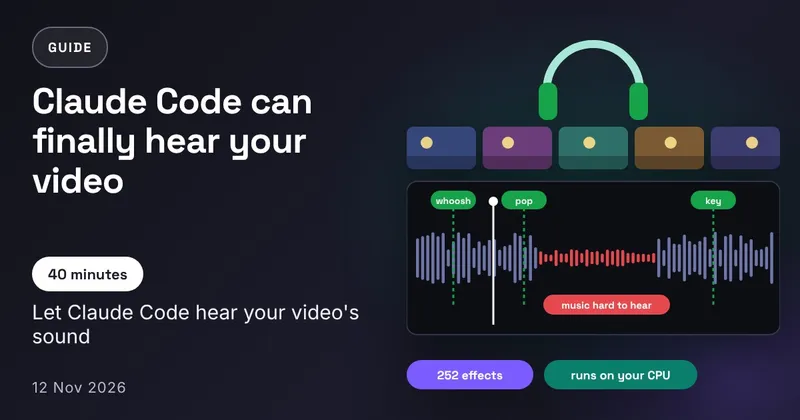
a Claude Code that can hear. Claude Code is good at video editing, but it cannot hear the sound it puts in, so every sound effect is a guess. Earshot is a free and open source toolkit that turns sound into something Claude Code can read: a second by second listening transcript of your video, with events, loudness and how well each sound lines up with the picture cuts. With that, Claude Code can find the moments that need a sound effect, choose one from a bank of 252 effects or make a new one in code, place it, and listen again to check it landed. Everything runs on your own computer, on the CPU, with no account.
What you need
- Claude Code installed. Get it at claude.com/download
- A Mac, Windows or Linux computer. No graphics card needed
- About 1.1 GB of free space for the two small AI models Earshot downloads once
- A short video of your own with a soundtrack, 60 to 90 seconds is ideal, because listening takes about a minute and a half at that length on a laptop
- Time: 40 minutes
First thing to do
enter your email below and open step 1.
What is inside
- Install the two free tools Earshot needs, uv and FFmpeg
- Check Earshot before you install it, then install it
- Connect Earshot to Claude Code
- Make Claude Code listen to your video
- Add a sound effect from the bank of 252
- Make a sound in code when none fits
- Example input and output
7 more sections
Enter your email to read the full guide.
Every step, prompt and template. One email opens every guide on this device.