Create an influencer who is not real, and let her sell your product
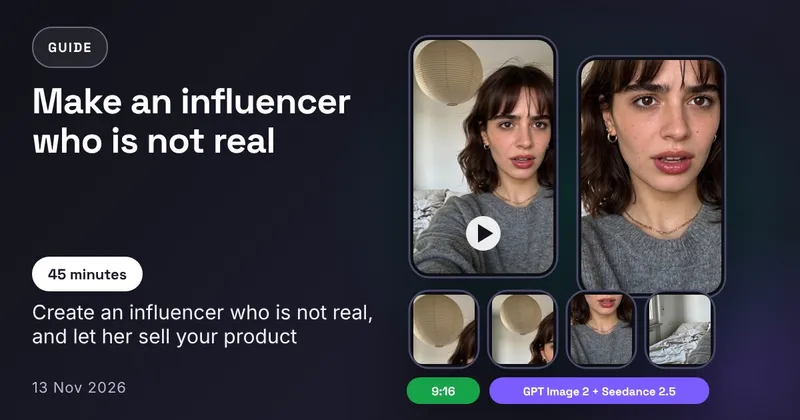
In 45 minutes you create an AI influencer from one photo, then make a talking selfie and a UGC video where she unboxes and wears your product. The face stays the same in every video.
45 minutes // Content
- Category
- Content
- Time
- 45 minutes
- Published
- Sections
- 10 sections
- Author
- Emre Çakan
Works with
- Higgsfield
-
 Claude
 Video Watch the video Reels · Open on Instagram Instagram word:
Who it is for
- Brands and shop owners who want UGC video for a product without paying a creator for every clip
- People who want to make content without showing their own face
- Anyone who wants to start an AI influencer account
What is inside
- Create the character
- Save the character file and make new scenes
- A talking opening video
- Unbox the product and try it on
- [object Object]
- Ask Claude for the same thing and adapt the prompt to your product
- Avoid common mistakes and publish
Start here
What you will build
an influencer who is not real. A character that starts from a single photo, a selfie video where that character talks to the camera, and a UGC video where she unboxes a product and wears it. UGC means user generated content, an ad video that looks like a real customer filmed it. The example character is called Ela. Images come from GPT Image 2 and videos from Seedance 2.5, both inside Higgsfield. If you connect Higgsfield to Claude, you can ask for the same things from a Claude chat.
What you need
- A Higgsfield account (higgsfield.ai). Seedance 2.5 and GPT Image 2 are among Higgsfield's models. The quality and the number of seconds you can make depend on your plan
- Claude, if you want it. To connect Higgsfield to Claude, use the connector steps in Make AI videos inside Claude, free for 72 hours
- A clear photo of your product on a plain background, taken from the front
- Time: about 45 minutes
First thing to do
enter your email below and open step 1.
What is inside
- Create the character
- Save the character file and make new scenes
- A talking opening video
- Unbox the product and try it on
- New formats: hold the product and talk, and a detail shot
- Ask Claude for the same thing and adapt the prompt to your product
- Avoid common mistakes and publish
- Example input and output
8 more sections
Enter your email to read the full guide.
Every step, prompt and template. One email opens every guide on this device.