Clean the ads off your TV with Claude
In 30 minutes your TV has no ads on the home screen, only the apps you pick, and every change can be undone.
30 minutes // Daily work
- Category
- Daily work
- Time
- 30 minutes
- Published
- Sections
- 9 sections
- Author
- Emre Çakan
Works with
-
 Claude Code
-
 GitHub
 Video Watch the video Reels · Open on Instagram Instagram word:
Who it is for
- Anyone whose TV home screen is full of ads and recommended rows
- People setting up a TV for parents or family
- Anyone who wants a TV that only shows the apps they use
What is inside
- Turn on USB debugging on the TV
- Open the project in Claude Code
- Paste one prompt and answer a few questions
- Check the result, change the look, or undo it
Start here
What you will build
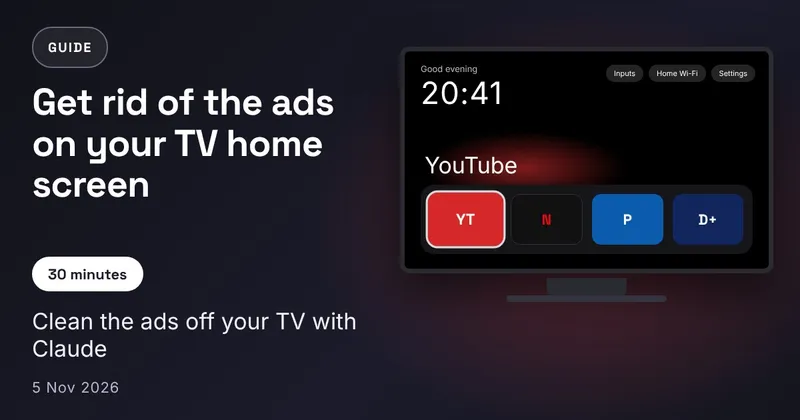
A TV with a black home screen and a dock of your four favourite apps, the manufacturer's ads and tracking switched off, and a grid of the rest of your apps one press of Down away. A big clock and a greeting sit on top. Nothing is deleted and one command brings the old home screen back.
What you need
- A TV that runs Android TV or Google TV. This covers Xiaomi, TCL, Sony, Philips, Nvidia Shield and most others. Fire TV gets the cleanup but not the new home screen.
- Samsung, LG, Roku, Vizio and Hisense VIDAA do not work. They have no way in for this method. For those, the project has a separate page for turning off tracking with the remote: cleanyour.tv/not-android.
- A computer on the same Wi-Fi as the TV, with Claude Code: download for Mac or Windows or use claude.ai/code
- Git on your computer: check with
git --version - Time: 30 minutes in one sitting
- Your TV's model name, from Settings, About
First thing to do
Enter your email below to unlock step 1 and clean your TV.
What is inside
- Turn on USB debugging on the TV
- Open the project in Claude Code
- Paste the prompt and answer the questions
- Check the result with your remote
- Change the look
- Undo everything
- Example input and output
7 more sections
Enter your email to read the full guide.
Every step, prompt and template. One email opens every guide on this device.